Minimal
One tablet or laptop. Email or WhatsApp receipts. Good for a yoga room or a new studio.
Hardware guide
GetGymPOS needs only a device with a web browser. Add a thermal receipt printer, a barcode scanner, a cash drawer and a label printer as you grow; card readers work with the payment processor you choose. We don't sell hardware, so you buy locally at local prices.
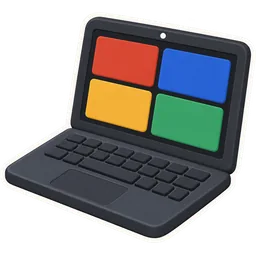
Windows or Mac laptop, Android tablet, iPad, or a phone. GetGymPOS runs in Chrome, Edge, Safari or Firefox.
A 10-inch or larger tablet on a stand is the most common desk setup.
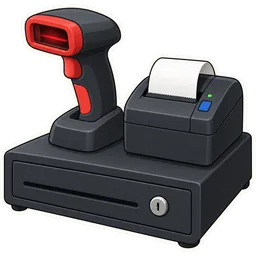
80 mm thermal receipt printers over USB, network or Bluetooth that print from the browser.
Brands gyms commonly use include Epson, Star Micronics and Xprinter; check the model prints from your device's browser.
Any USB or Bluetooth scanner that acts like a keyboard (HID). Scans product barcodes and printed member cards.
2D scanners also read QR codes from phones.
A drawer that opens through the receipt printer's RJ11 port when a cash sale prints.
Essential in Pakistan and wherever cash fees are common.

Barcode label printers for shelf labels and products without a barcode (shakes, towels, merch).
GetGymPOS prints barcode label sheets; thermal label printers save sheets.
Card readers work with the payment processor you choose; GetGymPOS records the payment against the sale.
In the UAE and Pakistan, banks supply the terminal; record card, Apple Pay, JazzCash or Easypaisa as payment methods.
GetGymPOS is hosted, so it needs a connection. A UPS on the router and a phone hotspot keep the desk running in outages.
Recommended for areas with load-shedding.
One tablet or laptop. Email or WhatsApp receipts. Good for a yoga room or a new studio.
Tablet on a stand, receipt printer, barcode scanner, cash drawer. Handles the morning rush and the fridge.
Two desk devices, label printer for retail, a backup hotspot, and a second scanner for the shop corner.
Set log · 8 reps
Only a device with a web browser. Receipt printers, scanners, cash drawers and label printers are optional and can be added later.
No. Buy locally or from your usual supplier; we tell you what to look for. This keeps prices fair in every market.
Card payments run through your processor's terminal. GetGymPOS records the payment; ask on a demo about integrated terminals in your country.
Yes, in Safari or Chrome. Use a Bluetooth printer that supports printing from iPad.
Yes. Print member cards from the profile and scan them with a barcode scanner to find the member fast.
No. Check-in is done at the desk. Turnstile control is not built in.
Use a phone hotspot. Your data is on our servers, not on the desk device, so nothing is lost if the device fails.
Yes. Each staff member logs in on their own device; Studio includes 3 staff logins, Club 15.
Run the trial on the laptop you have; add a printer when you're sure.
Recent
Popular with gym owners