Getting started · 4 min
Add your gym as a location
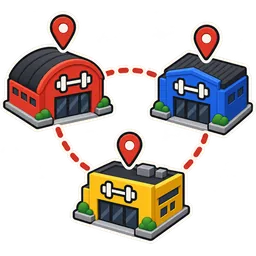
Set the address, receipt layout, tax number and invoice settings for each gym. A location is one physical gym. Its settings decide what your receipts and invoices look like.
- 1
Open Business locations
From settings, add a location or edit the default one created at sign-up.
- 2
Enter address and contact
This prints on receipts and invoices.
- 3
Add your tax number
TRN in the UAE, NTN/STRN in Pakistan, EIN or state ID in the US, if you want it on invoices.
- 4
Pick receipt and invoice layouts
80 mm thermal for the desk, A4 for invoices; choose language and fields.
- 5
Name the register
Usually "Front desk". Add a second register for a shop corner if you have one.
Tips
- Print a test receipt before your first real sale.
- For Arabic or Urdu receipts, choose the right-to-left layout.
Set log · 4 reps
Questions about this guide
How many locations can I add?
Studio and Club include one; Multi-Club includes three, then extra locations.
Can each location have its own logo?
Yes.
Can locations use different currencies?
Yes, with multi-currency on Multi-Club.
Where do I set prices per location?
With selling-price groups; see the multi-location feature page.
Related: Create your GetGymPOS account · Add staff, roles and trainer commission rates
Stuck? Contact support or book a guided setup.